Quick Answer: Documenting AI tool use throughout portfolio creation means systematically tracking which tools you used, what prompts you wrote, how many iterations you ran, and what creative decisions you made at each stage. Good documentation makes disclosure statements easy to write, demonstrates thoughtful engagement to reviewers, and protects you from later questions about authenticity. Royal Blue Art students learn process documentation habits alongside traditional studio practice, building applications that read as transparent and intentional.
Learning to document AI use portfolio creation separates strong applicants from those who scramble during submission season. According to admissions feedback from RISD and similar schools, clear process documentation strengthens applications even when AI involvement is minimal. At Royal Blue Art & Design in Apgujeong, Seoul, we have guided Korean students through portfolio documentation practices for over 19+ years, adapting traditional process journals to include AI tool tracking.
This guide covers practical documentation methods, what to track, and how to organize records for application season.
Why Document Process
Process documentation serves multiple purposes during application: (1) Disclosure accuracy — when schools require AI disclosure, documented records let you write honest, specific statements rather than reconstruct vague memories, (2) Portfolio narrative — process documentation becomes material for personal statements, artist statements, and interview responses, (3) Reviewer credibility — detailed process notes signal mature artistic practice regardless of AI involvement, (4) Self-protection — if questions arise about authenticity after admission, documentation provides clear record of your contribution, (5) Learning consolidation — the act of documenting forces reflection that improves future work. Korean students entering competitive US art school applications cannot afford to skip documentation — the marginal effort pays back during application crunch time.
What to Track
Essential documentation elements for AI-involved work: (1) Tool name and version (e.g., “Midjourney v6.1, accessed November 2025”), (2) Prompts used, including iterations and refinements showing your directing process, (3) Output selection criteria — which generations you chose and why, (4) Post-generation modifications — painting over, compositing, color correcting that you performed, (5) Time investment at each stage — demonstrates sustained engagement, (6) Creative decisions — aesthetic choices, conceptual direction changes, technical problem-solving. For pieces without AI involvement, document traditional process elements: reference gathering, thumbnail sketches, medium decisions, iteration rounds, critique feedback incorporation. Consistent documentation habits across all work types prevents inconsistency that might signal selective disclosure.
Documentation Tools
Practical documentation systems that work for art students: (1) Physical process journal — traditional sketchbook with date-stamped entries for each work session, capturing decisions and iterations, (2) Notion or Obsidian database — digital organization with tagged entries, searchable prompts, linked reference images, (3) Google Docs with templates — simple, shareable with instructors for feedback, (4) Folder structure — dated folders with “raw_generations”, “selected”, “post_edit”, “final” subfolders per piece, (5) Screenshot archive — capture AI tool interfaces with prompts visible, store with date in filename. Most successful students combine at least two systems: one for quick capture during work and one for organized summary. Apgujeong academy students often use physical journals for sketch phase and digital systems for AI phase, consolidating into portfolio process statements.
Documentation Timeline
When to document each element during portfolio creation: (1) At concept stage — research notes, AI brainstorm transcripts if used, final concept decision with rationale, (2) During generation or creation — real-time prompt log, iteration count, selection decisions, (3) At editing stage — modifications applied, problems solved, aesthetic choices, (4) After completion — final reflection, what you learned, how this piece connects to portfolio narrative, (5) During portfolio assembly — connections between pieces, evolution of ideas, technical progression. Documentation created in the moment captures accurate detail; retrospective documentation months later loses specificity and can read as reconstruction. Build 10-15 minutes of documentation time into each work session from the start of portfolio preparation.
Converting Records to Statements
Raw documentation must be translated into application-appropriate statements. Effective translation: extract key decisions from detailed notes, frame process as intentional rather than experimental, emphasize creative judgment rather than tool operation, maintain specific concrete details rather than abstract generalizations. Example: Raw note “Tried 47 Midjourney prompts, hated most, liked #34 best, painted over for 3 hours to fix hands and add my style” becomes portfolio statement “I directed AI generation through 47 prompt iterations before selecting one that captured the intended mood. Extensive hand-painting over 3 hours corrected anatomical issues and integrated the image with my illustrative style.” The facts remain, but framing emphasizes creative agency.
Korean Student Implementation
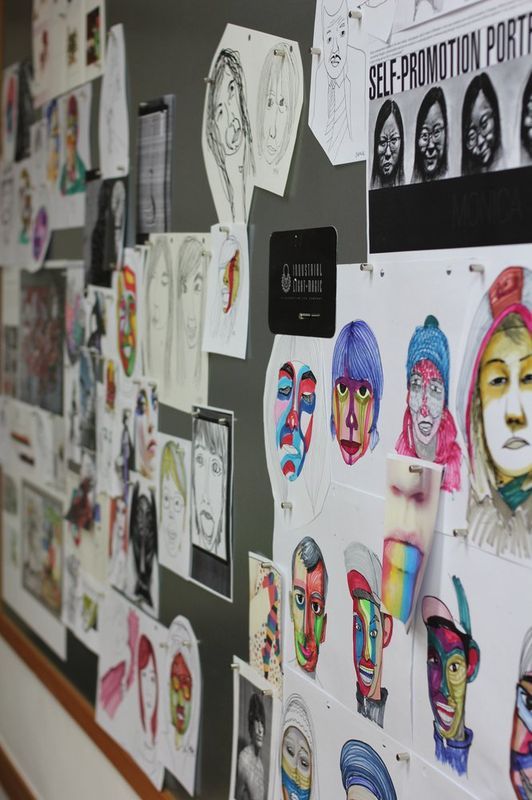
Korean art students face specific documentation challenges worth addressing: (1) Language switching — many students work in Korean but need English documentation for application — maintain parallel records from start rather than translating at end, (2) Academy workflow — Apgujeong-area academies often move quickly through projects — negotiate documentation time with instructors, (3) Collaborative feedback — capture instructor and peer feedback as part of documentation, (4) Cultural framing — Korean directness reads differently in English — practice American-style process descriptions with native speakers. Royal Blue Art students typically maintain bilingual process journals, converting to English during weekend consolidation sessions, preparing application-ready documentation throughout portfolio development rather than scrambling at submission.
Common Documentation Mistakes
Frequent errors that weaken applications: (1) Starting documentation too late — reconstructing process months later produces unconvincing records, (2) Over-documentation — every minute detail becomes overwhelming and loses key decisions, (3) Documentation only for AI pieces — creates visible inconsistency, (4) Pure tool description without creative reflection — reads as mechanical rather than artistic, (5) No documentation of failures — process always includes discarded attempts, showing these strengthens credibility, (6) Final statement completely detached from original notes — signals post-hoc fabrication, (7) Generic template documentation across multiple pieces — loses specificity that signals genuine engagement.
Frequently Asked Questions
How detailed should prompt documentation be?
Record the final prompts you used plus significant refinements that shaped your direction. You don’t need every word-change iteration, but enough to show your prompt engineering process and final creative choices.
Should I document process for pieces without AI?
Yes. Consistent documentation across all portfolio pieces signals mature artistic practice. Selective documentation only for AI pieces creates visible inconsistency that admissions readers notice.
Can I use templates for process documentation?
Templates help maintain consistency but must be filled with specific, piece-level content. A template that produces identical text for multiple pieces becomes suspicious. Use templates as prompts for your thinking, not substitutes.
How do I document revision decisions?
Capture key decisions with reasoning: “Revised composition based on critique feedback to strengthen focal point” rather than just “revised.” Show the cause-effect logic of your process.
Next Steps
Starting process documentation early pays dividends throughout portfolio development and application season. Build documentation habits into every work session rather than treating it as separate task. Quality documentation strengthens applications regardless of AI involvement level.
Ready to build documented, application-ready portfolio? Contact Royal Blue Art & Design for process guidance.
Related Reading
AI & Portfolio Topics
- How to Use Topaz Tools for Portfolio Image Enhancement
- AI Disclosure on Art School Portfolios: Best Practices
- Why Fully AI-Generated Work Underperforms at Art Schools
- How to Keep a Human-Driven Practice in an AI Era
- Ethical Considerations for AI Use as an Art Student
Essential Admission Topics
- How to Build a Portfolio for RISD
- Is Art School Worth It in 2026?
로얄블루 유학미술학원 무료 상담
무료 상담 신청하기 →AI Documentation Template — What to Record for Each Piece
| Documentation Item | What to Record | Why It Matters |
|---|---|---|
| Tool name and version | Midjourney v6, Adobe Firefly 2, Stable Diffusion XL | Tools evolve; version matters for understanding capabilities |
| Prompt text | Exact prompt(s) used | Shows your creative thinking and direction-setting |
| Number of iterations | How many generations before you selected one | Demonstrates decision-making, not just luck |
| Selection criteria | Why you chose this output over others | Reveals your artistic judgment |
| Transformation made | What you changed, added, or developed from the AI output | Documents your creative contribution |
| Final vs AI output | Side-by-side comparison if possible | Shows distance between AI generation and your final work |
Writing Your AI Disclosure Statement — Templates and Examples
A disclosure statement for AI use should be brief, specific, and honest. It appears in your Artist Statement or as a separate process note. Here are three levels of AI use and appropriate disclosure language for each.
Minimal AI use — research only: “My research process included AI image generation tools for initial visual exploration. All final works were executed by hand using [medium].” Moderate AI use — concept generation followed by traditional execution: “I used Midjourney to generate initial compositional directions for this series, selecting from approximately 40 iterations. All final works were drawn and painted by hand, using AI outputs as one reference source among photography, observational sketching, and art historical reference.” Significant AI use — AI as primary medium: “This series investigates AI image generation as a conceptual practice. I used [tool] with iterative prompting strategies to explore [theme]. My role was director, curator, and editor — decisions about prompt language, iteration selection, and final presentation were entirely mine.”
Documentation Timeline — When to Record What
| Stage | What to Document | Format |
|---|---|---|
| Beginning of project | Initial research direction, tools selected, first prompts | Written notes + screenshots |
| During generation | Iterations run, selection criteria, rejected directions | Screenshot folder organized by date |
| Development phase | How AI output was transformed, materials added | Photo documentation of work in progress |
| Completion | Final vs AI comparison, total AI use percentage estimate | Side-by-side images + written summary |
| Portfolio submission | Condensed disclosure statement | 2-4 sentences in Artist Statement |
AI Documentation — Frequently Asked Questions
Q. Do I have to document AI use if no one is asking?
A. Yes, for two reasons. First, building the documentation habit now prepares you for art school environments where process documentation is standard. Second, if questions about your work’s authenticity arise later, documentation protects you. Undocumented AI use that is later discovered is far more damaging than disclosed AI use.
Q. What if I used AI for one piece in a 15-piece portfolio?
A. Document it clearly. One piece with transparent AI use in a portfolio of strong hand-made work is fine. Trying to hide the one AI piece is not fine. Transparency about limited AI use does not hurt your application; undisclosed AI use that is detected does.
Q. How detailed does the documentation need to be for a portfolio submission?
A. For portfolio submission purposes: 2-4 sentences in your Artist Statement describing the role of AI tools in your process is sufficient. More detailed documentation is for your own records, for potential future inquiry, and for developing good professional practice habits.
Q. Can I use my documentation as portfolio content?
A. Yes — process documentation, including AI iteration records, can be powerful portfolio content when framed as part of your creative process. Some applicants include a “process spread” showing initial AI explorations, sketch development, and final works. This demonstrates both your AI literacy and your traditional skill development.
Q. Should I photograph my AI-free work sessions to prove independence?
A. Documenting AI-free work is not necessary for most applicants. What matters is that your final portfolio demonstrates skills — observational drawing, material knowledge, compositional decision-making — that could not have been generated by AI. The work itself is the evidence of your creative independence.
Process Documentation as Portfolio Strength
Beyond protecting yourself from authenticity questions, process documentation is a genuine portfolio asset. Admissions committees value applicants who can articulate their creative process, make deliberate decisions, and learn from their own work. A well-documented AI-assisted process demonstrates exactly these capacities: you set a direction, generated options, evaluated them against your criteria, made selections, and transformed them through your own skill and judgment.
Some applicants include a process documentation page in their portfolio showing the arc from initial AI exploration through sketching, development, and final work. This is particularly effective when the final work is significantly different from the AI-generated starting point. The distance between the AI output and your final piece is a visual demonstration of your creative contribution.